

Talk to a product expert
Best AI Tools for VA/VE: A Guide for Mechanical Engineers


Engineering leaders are being flooded with AI promises but given very few resources explaining which tools actually matter, for what applications they matter, and what kind of impact they can potentially have.
Rather than pushing a single platform or a generic “AI for everything” narrative, this guide takes a systems-level view of VA/VE. We break down the product lifecycle into the decision points where cost is set, challenged, and defended, and then map those moments to the AI tool(s) that deliver results.
This guide assumes a hard truth that experienced engineers already know: No single tool does cost estimation, VA/VE, collaboration, and decision-making equally well. The AI-enabled engineering teams of tomorrow will combine specialized cost engines, engineering collaboration platforms, and AI agents to build faster, more effective VA/VE programs.
This guide will help you determine that combination.
Best AI Tools for VA/VE: Broken Down by Category
AI Agents for VA/VE workshops
What these tools do
These tools answer the question: “How do we scale cost-related decisions and run more effective VA/VE programs?”
These tools capture design feedback, facilitate cross-functional input on designs, and tie decisions directly to the engineering artifacts (CAD, drawing, simulation results, etc.). This feedback then feeds AI agents that build an institutional knowledge model for you to scale VA/VE decisions.
When should you choose this category
AI agents are a burgeoning AI category. While there are a lot of questions and skepticism around agents, this is where the more successful enterprise AI implementations succeed.
Because AI agents solve for workflow-level problems across teams, not just individual use cases, consider AI agents for VA/VE when:
- Cost issues or opportunities are identified repeatedly but not resolved
- VA/VE insights get lost between reviews and from program-to-program
- Decisions get lost over multiple design revisions
- Teams are globally distributed or async
- You need to tap into the VA/VE knowledge of your entire company at the moment of need
CoLab
CoLab is ideal for capturing VA/VE feedback from many cross-functional stakeholders (engineering, manufacturing, suppliers, QA, procurement, etc.), de-risking cost decisions, and prioritizing the most valuable VA/VE ideas for implementation.
How it works
- Run async/sync design reviews on CAD, capture expert feedback, convert feedback into trackable issues, and prioritize the ideas that have the highest value. This is critical for cost-down programs with many stakeholders.
Strengths
- CoLab’s agentic system uses AI + engineering feedback + stakeholder knowledge to accelerate decisions.
Weaknesses
- Not a costing engine by itself. You’ll still pair this with a costing tool like an ERP system or cost estimation point solution.
- Value depends on adoption (review participation + issue prioritization discipline)
General AI LLMs for VA/VE workflows
What these tools do
These tools answer the question: “How do we think faster, synthesize better, and communicate decisions clearly?” They accelerate the human work around cost and VA/VE: analysis, explanation and comparison.
When you choose this category
Most engineers have done some experimentation with an LLM, whether for work or personal use. In general, LLMs for VA/VE when:
- You’re drowning in data, notes, specs, or cost tables
- You need to turn analysis into decisions or narratives
- You want faster workshops, reviews, and exec updates
ChatGPT Enterprise (OpenAI) / Microsoft CoPilot / Google Gemini
LLMs don’t replace CAD-to-cost, but they do accelerate VA/VE work like teardown synthesis, cost-driver brainstorming, spec simplification, RFQ clarifications, and “turn this workshop into an action plan.”
How they work
- [ChatGPT] Summarize requirements/specs, generate VA/VE option trees, draft supplier questions, analyze cost tables, transform meeting notes into decisions/actions.
- [CoPilot] “Chat with your data” for spend, BOM rollups, warranty, and cost-driver analytics in Power BI; draft docs/emails in M365.
- [Gemini] Rapid summarization and drafting in Docs; quick analyses and synthesis in Sheets for cost/VE trackers.
Strengths
- Enterprise security posture + advanced data analysis called out in the Enterprise launch info.
- Strong when your VA/VE data already sits in Microsoft stack; Power BI Copilot is explicitly designed for analysis/reporting workflows
- Built into core Workspace apps; admins can manage access to Gemini features.
Weaknesses
- Hallucination risk: must use citations/grounding and treat outputs as drafts.
- Needs governance for what data can be pasted/shared.
- Value depends on data model quality and tenant configuration.
- Can be constrained by licensing/admin setup.
CAD-to-Cost and “Should-Cost” platforms
What these tools do
These tools answer the question: “What should this part or assembly cost to manufacture, and why?” They translate geometry, materials, processes, tolerances, volumes, and regions into a defensible cost model and expose the primary cost drivers.
Where AI does (and does not fit) in this category
AI plays a supporting role in these tools rather than acting as the core decision-maker. Today, machine learning is used selectively for tasks like recognizing patterns in historical cost data and, in newer modules, recommending assumptions or flagging anomalies. Its role is expanding in user-facing ways, like guiding users through workflows, accelerating model setup, and surfacing insights such as which features are driving cost outcomes.
The heavy lifting, however, is intentionally done by deterministic (non-AI) systems: rules-based manufacturing cost models, parametric equations, and process logic grounded in manufacturing physics and established industry benchmarks. This design choice is deliberate. Cost credibility depends on explainability, and engineers and buyers must be able to understand, justify, and defend the assumptions behind a model—especially in sourcing decisions or audits, where black-box machine-learning predictions introduce unnecessary risk.
Ultimately, these tools are cost engines first. AI is layered on top to improve usability, speed, and insight, not to replace the deterministic models that ensure trust, transparency, and defensible results.
When you would choose this category
There are a few use cases where this tool category is especially useful:
- You need cost visibility early: before RFQs or supplier quotes
- You want to set or enforce cost targets
- You’re doing formal cost estimation, sourcing strategy or negotiation prep
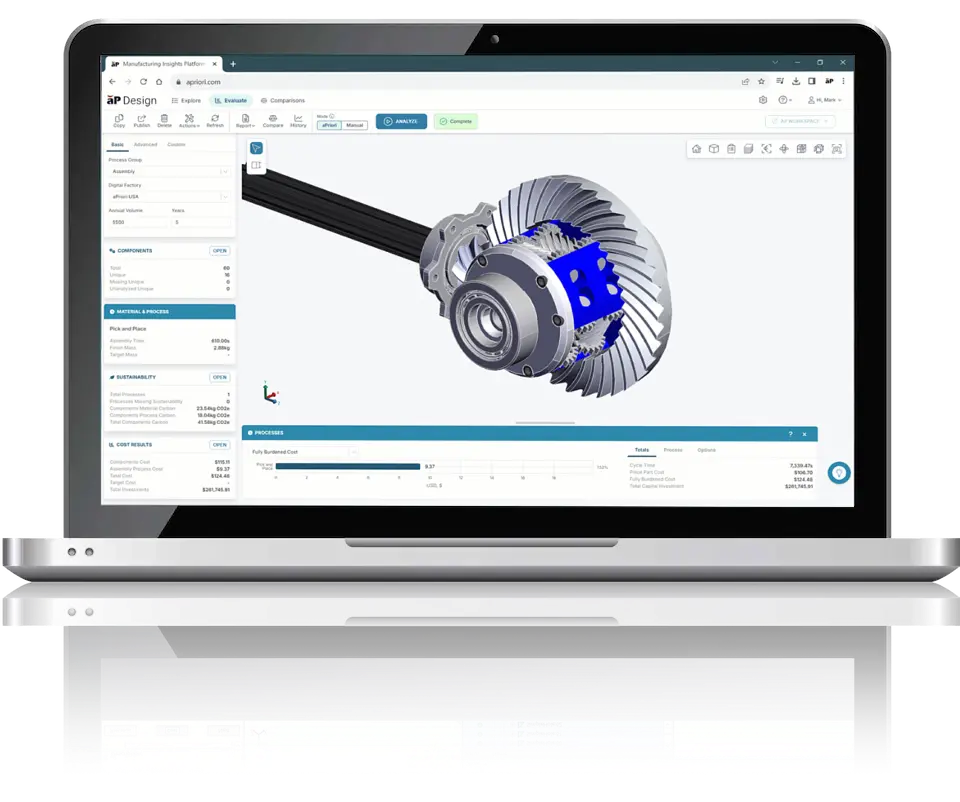
aPriori
aPriori is ideal for early cost visibility when designing inside CAD and for conceptual DFM-driven VA/VE loops.
How it works
- Generate should-cost from CAD/BOM (part + assembly) and run what-if (material, process, region, volume)
- DFM feedback to steer redesign before RFQs.
- Identify cost drivers + compare sourcing regions/suppliers (when paired with your procurement data).
Strengths
- Purpose-built for cost and manufacturability decisions and positioned explicitly for cost/value engineering workflows.
Weaknesses
- Accuracy depends heavily on correct manufacturing assumptions (process, tolerances, finish, volumes) and manual, rules-based checks.
- Rules-based checks require heavy oversight and maintenance
- Licensing + model governance are considerable
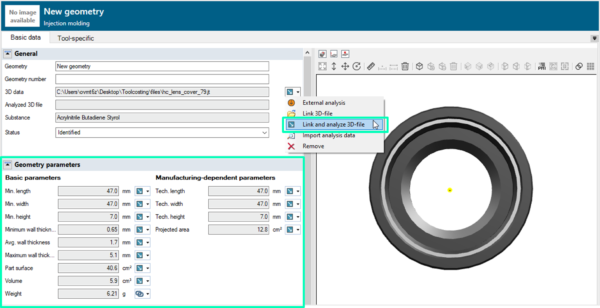
Siemens Teamcenter Product Cost Management (incl. Teamcenter X)
Siemens Teamcenter Product Cost Management is ideal for cost management integrated with PLM governance and traceability.
How it works
- Bring cost (and increasingly carbon) into early lifecycle decisions and keep it linked to product structure.
- Run what-if simulations and track cost targets vs. design evolution.
Strengths
- Strong fit if you already live in Teamcenter/PLM and need cost decisions to be auditable and tied to configurations.
Weaknesses
- Heavier implementation effort than “point” tools.
- Users may still export to spreadsheets unless workflows are well-designed.
Galorath SEER for Manufacturing (SEER-MFG) + SEERai
SEER is ideal for defensible, model-based estimates with uncertainty and risk framing.
How it works
- Fast cost/labor/process estimates from validated modeling logic; scenario comparisons; coordination across teams.
Strengths
- Good when you need traceable estimating logic (and not just a black-box output)
Weaknesses
- Model calibration and adoption can be a steep learning curve.
- “AI” value is often in workflow acceleration and assistance (automation rather than true AI). It does not and should not replace estimation as a discipline.

Generative design & topology optimization
What these tools do
These tools answer the question: “What is the most structurally or thermally efficient geometry for this requirement?” These tools use physics-based optimization to reduce mass, redistribute material, or enable new forms, often producing designs humans wouldn’t intuitively sketch.
Generative design can reduce material costs (when that’s the primary driver), enable different manufacturing processes and force design engineers to consider performance-driven cost tradeoffs.
Where AI does (and does not) fit in this category
In these tools, AI primarily appears in the form of optimization algorithms and solvers, with some implementations using machine learning assisted techniques to explore design spaces more efficiently. Heuristic search methods and convergence acceleration help navigate large solution spaces faster, improving performance and usability without changing the fundamental nature of the computation.
What actually drives results, however, is physics-based optimization: constraint solvers and mathematical optimization techniques that rely on explicit equations and defined constraints rather than learning from data. This distinction is important. Most generative design tools are not AI in the “learn from data” sense—they do not develop understanding from prior designs unless they are explicitly connected to historical datasets and learning systems.
At their core, these tools leverage advanced mathematics and physics, even if they are often marketed as AI. Their true strength lies in structured exploration of possibilities, not in judgment, intuition, or cost reasoning.
When would you choose this category
You’d choose a generative design and topology optimization tool when:
- Weight, stiffness, thermal performance, or material usage is a key lever
- You’re exploring design alternatives, not validating cost yet
- You’re targeting additive or advanced manufacturing routes
- You want to push performance boundaries, then evaluate feasibility
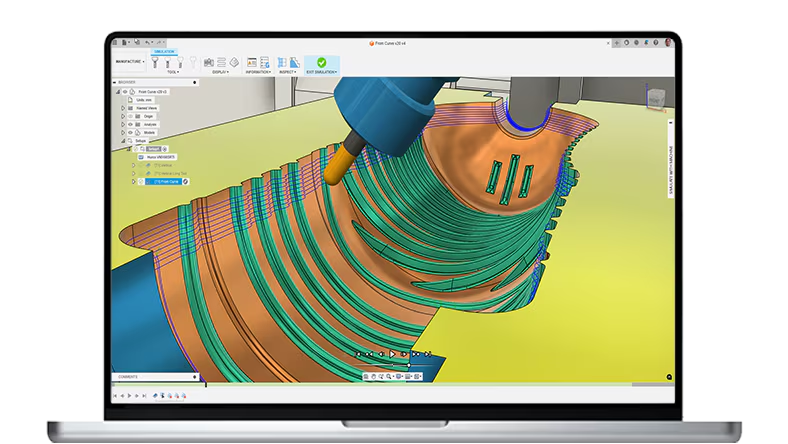
Autodesk Fusion
Autodesk Fusion is ideal for lightweight concept exploration tied to CAD workflows.
How it works
Engineers use AutoDesk Fusion to reduce mass/material while meeting load constraints. This allows users to explore candidates that can lower cost or enable cheaper manufacturing routes.
Strengths
- Accessible entry point and good for quick iteration.
Weaknesses
- Outputs often need significant engineering refinement for real manufacturing + drawing release.
- Great at suggesting forms; weak at owning your cost model.
Siemens NX Generative Design / Topology Optimization
Siemens NX Generative Design is ideal for enterprises already standardized on NX who want generative within the same environment
How it works
Integrated topology optimization + convergent modeling workflow to get lighter parts without breaking design intent.
Strengths
- Tight integration with a high-end CAD ecosystem; fewer handoffs.
Weaknesses
- Licensing and complexity is tough for non-enterprise customers.
- Benefits show up most with mature NX practices.
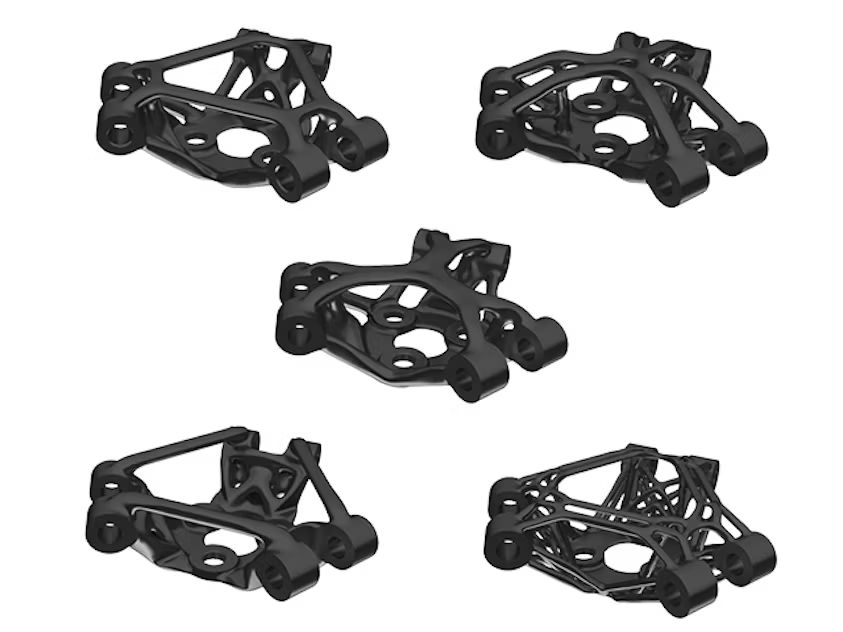
Altair Inspire / OptiStruct
Altair Inspire is ideal for simulation-driven design exploration and optimization
How it works
Altair Inspire performs concept-level optimization and rapid validation; and generates lightweight structurally efficient designs.
Strengths
- Strong optimization heritage; good “engineer’s tool” for exploring trade spaces.
Weaknesses
- Reviewers commonly note limits with very large assemblies and depth vs. higher-end simulation suites.
nTop (nTopology)
nTop is ideal for lattices and implicit geometry, especially for additive + advanced structures.
How it works
nTop can create lattice structures, variable thickness, thermal/structural performance-driven geometry that can cut weight/material (sometimes total cost, depending on the process).
Strengths
- Extremely powerful for complex geometry generation and optimization.
Weaknesses
- Additive/advanced manufacturing bias; may be overkill for conventional parts.
- Requires strong engineering judgment to translate “cool geometry” into actual cost-down.

Best AI Tools: Breakdown by Use Case
Here are a few tool combinations that help solve specific VA/VE use case problems.
Why this matters: VA/VE fails most often due to lost feedback and weak follow-through, not lack of ideas.
Design-to-Cost Enforcement During Development
Why this matters: This is where cost creep happens and where any decisions locked in get exponentially more expensive to fix.
Design Reviews That Actually Reduce Cost
Why it matters (and why all CoLab?): Cost knowledge should be referenceable and applicable any time it's needed. But there’s just no system for storing and surfacing cost knowledge at the moment of need. CoLab solves this and is the only tool solving it today.
From Research to Execution: Implementing VA/VE AI Tools
In the end, cost and value are not decided by tools. They’re decided by who gets involved, when decisions are made, and whether those decisions survive the next design revision. AI does not change that reality, but it does change the speed, scale, and leverage at which those decisions can be made.
The teams winning with AI in VA/VE are not chasing novelty or replacing engineering judgment. They are being deliberate:
- Using cost engines where credibility and traceability matter
- Applying generative tools only where physics can unlock real value
- Capturing decisions with collaboration platforms so cost lessons aren’t relearned every program
- Using AI agents to move faster without sacrificing rigor
If you’re responsible for cost, schedule, or engineering outcomes, the next step is identifying: Where cost is actually being set in your product lifecycle, which decisions are being delayed, revisited, or completely lost, and finally, which AI capabilities could remove friction fast and scale faster. That’s how AI becomes a competitive advantage instead of just another tool only a few people use.
If you want to talk about what this could look like for your VA/VE programs, schedule a consultation with us here.



About the author
Mary Keough is a real human and writer for CoLab. Email her at marykeough@colabsoftware.com.

