
Talk to a product expert


Catch design issues faster with AutoReview

AutoReview is your instant peer checker. Here’s what it can find:

Flags missing views, undefined configurations, vague notes, and anything a manufacturer would need to ask about before starting work.
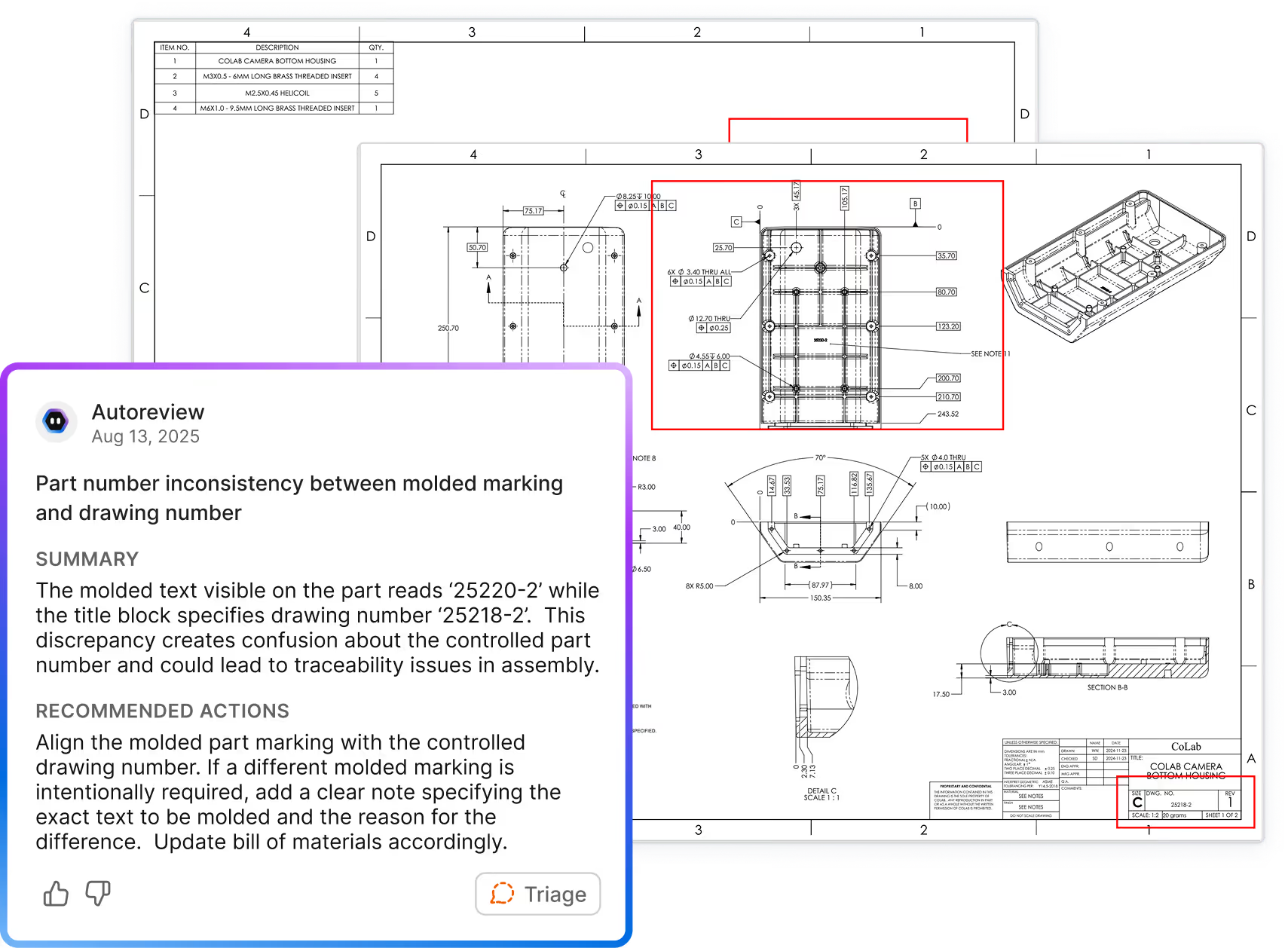
Identifies mismatched dimensions, duplicate callouts, conflicting tolerances, and values that don't match the 3D geometry.
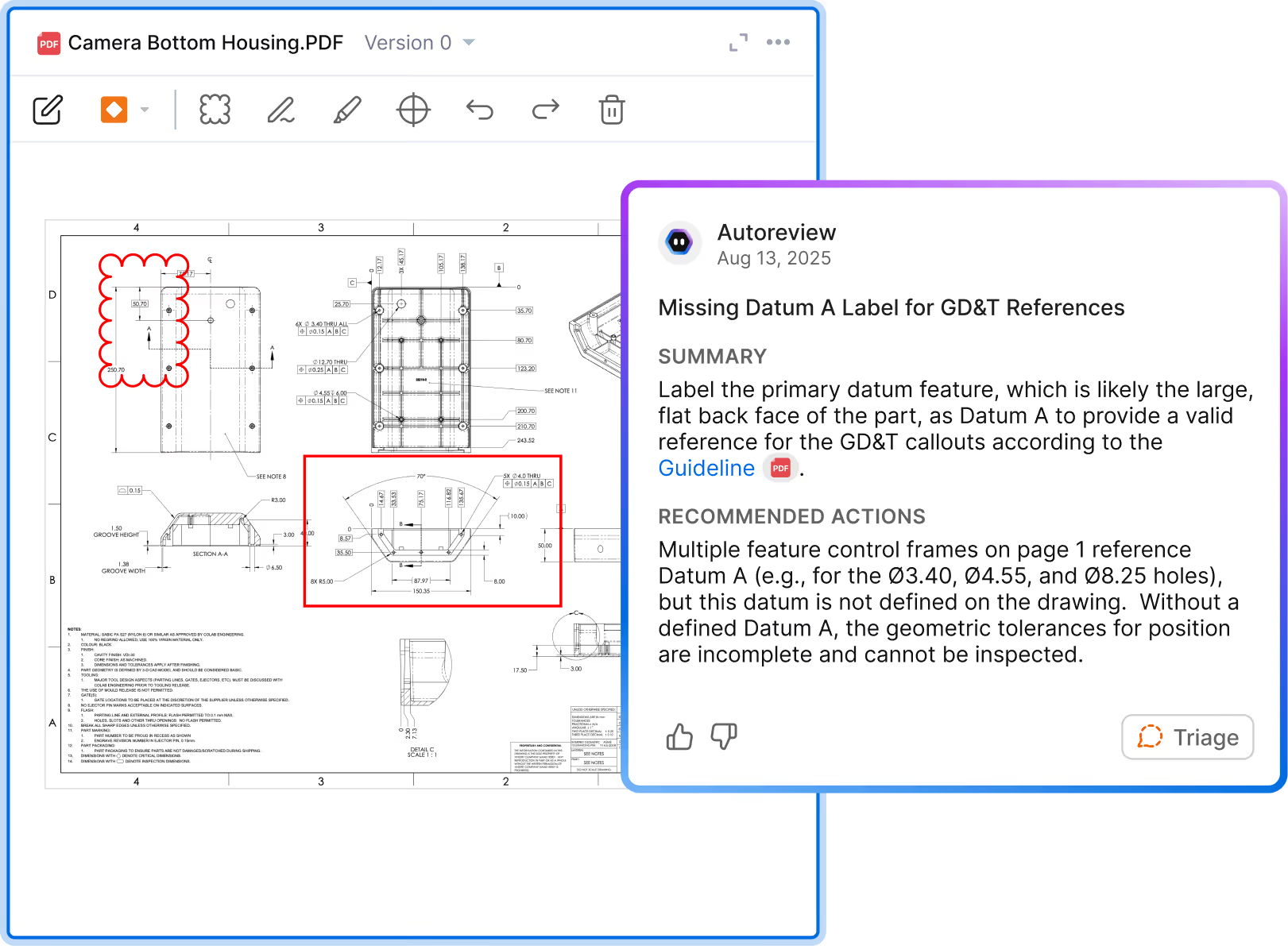
Checks GD&T usage, hole callouts, title block fields, and drawing conventions against ASME, ISO, and your team's internal standards.
Catches mismatched material callouts, conflicting part numbers, and discrepancies between the drawing and its associated data.
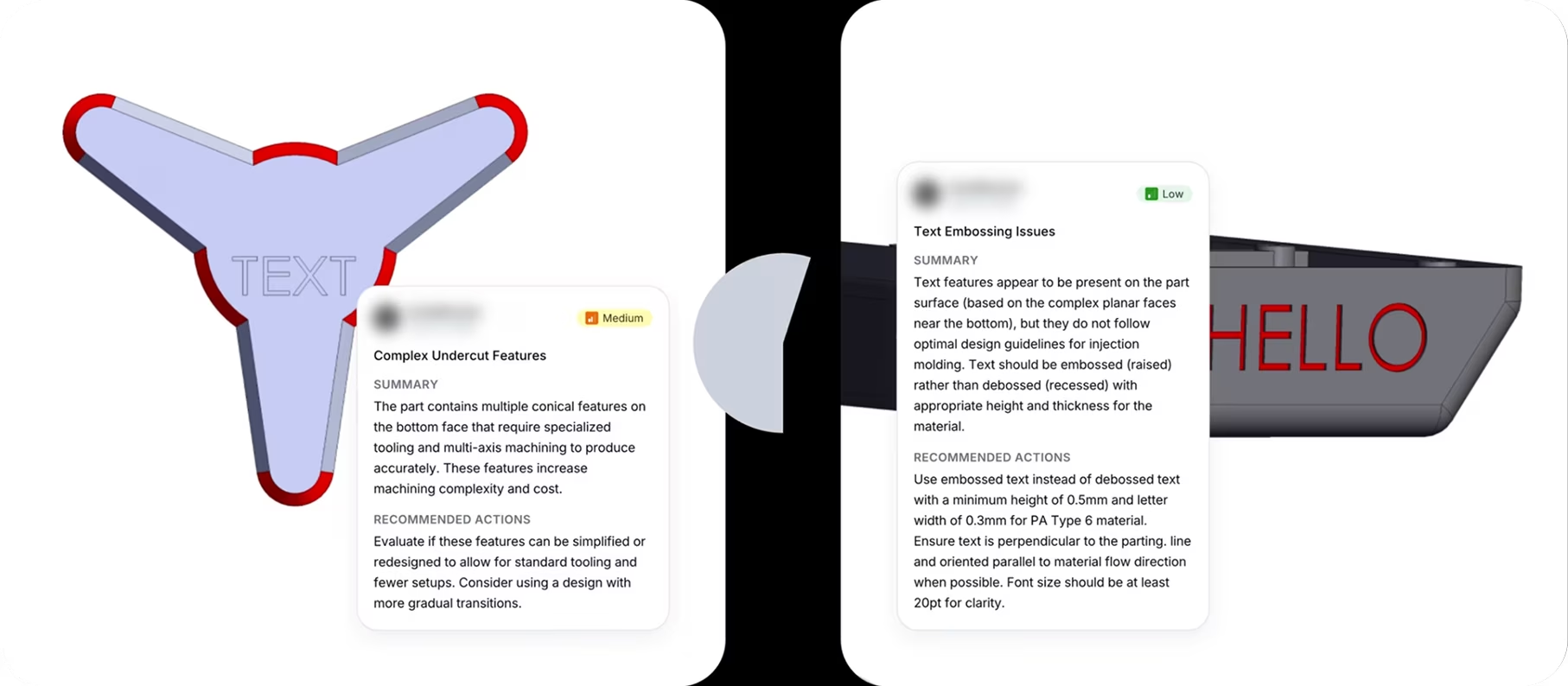
Reviews part geometry against process-specific rules — wall thickness, draft angles, inside radii, and rib geometry for machined, sheet metal, and molded parts.
Compares the design against feedback patterns from past reviews to catch errors your team has flagged before.
.avif)

%20(1).avif)
.avif)

AutoReview is your instant peer checker. Here’s what it can find in seconds:
Mismatched materials, duplicate dimensions, title block discrepancies.
Missing views, vague notes, unclear part configurations.

Sharp inside corners, unsupported ribs, stress-prone geometry.

Missing tolerances, incorrect hole callouts, GD&T violations.

Repeat errors, common expert feedback, root causes of failures.

Thin walls, missing draft angles, complex parting lines in molded parts.

AutoReview uses specialized agents trained to find specific failure points

Drawing Review + Approval


DFM Analysis
See how it works
Which markup is AI generated?

Why AutoReview?
Processes technical CAD data
Puts feedback in the design, not a document
References your unique design guidelines

Specialized agents, not a generic LLM
Fully integrated with CAD and PLM
Enterprise-grade security, proven at scale
Frequently Asked Questions
How does AutoReview know what to look for—and will it work on our designs?
For 3D models, it runs deterministic checks against geometric properties, producing results based on direct geometric analysis.
For 2D drawings, AutoReview uses AI to evaluate content against your standards — flagging issues like dimensioning gaps, missing callouts, and tolerance inconsistencies based on what it reads from the drawing.
In both cases, you can extend what AutoReview evaluates by adding your own standards, checklists, and lessons learned. Feedback and decisions captured in CoLab also carry forward, so results improve the more your team uses it.
Is it secure?
Do I need to prep our data or train it before we can use it?
You can then refine how AutoReview evaluates designs by adding your standards, guidelines, checklists, and lessons learned. Human feedback, discussions, and design decisions captured during reviews provide additional context that guides future reviews.
Will it work with our CAD or PLM system?
Did you create AutoReview to replace engineers?
When will I get access?
Want to try AutoReview on your own designs?


This sounds amazing—but is it good enough for my team to use right now?
The difference is that AutoReview took a few minutes vs a few days for the team to review the design for cost savings opportunities and generate feedback."
Sr. Value Management Engineer
The most impressive thing AutoReview has found on my projects to this point is an under dimensioned critical feature on a part with a suggestion to dimension based on the overall required tolerance stack."
Principal System Architect
The most impressive thing it has found has been several leads on cost saving possibilities for our Value Management team."
Sr. Manager Mechanical Design / CAD
Things like conflicting tolerances, incomplete material specs, or incompatible finishes. That combination of saving time and improving quality has made it a very impactful tool for us."
Director of Engineering